|
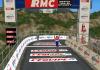
New Launch Screen for PCM2009
|
| rjc_43 |
Posted on 20-08-2009 17:48
|

Team Leader

Posts: 6490
Joined: 13-10-2007
PCM$: 200.00
|
Make sure there are no spaces in the file name and it'll be fine.
EDIT: And as to screenshots, best to upload the shot to somewhere like Photobucket and paste the image link here in the [ IMG ] brackets.
Edited by rjc_43 on 20-08-2009 17:49
[url=cleavercycling.co.uk]  [/url] |
| |
|
|
| rjc_43 |
Posted on 20-08-2009 17:57
|
Team Leader
Posts: 6490
Joined: 13-10-2007
PCM$: 200.00
|
Pretty cool start up screen.  Nice stuff. Nice stuff.
[url=cleavercycling.co.uk] [/url] |
| |
|
|
| rjc_43 |
Posted on 20-08-2009 21:23
|
Team Leader
Posts: 6490
Joined: 13-10-2007
PCM$: 200.00
|
You can't, hence the recommendation to use a site like Photobucket which then lets you put as many screenshots as you like into one post in the text, rather than as an attachment.
[url=cleavercycling.co.uk] [/url] |
| |
|
|
| Kami |
Posted on 20-08-2009 21:32
|

Classics Specialist

Posts: 3386
Joined: 19-06-2009
PCM$: 200.00
|
Thx, i like the one from Stage 2 of the TDF alot. |
| |
|
|
| fenian_1234 |
Posted on 21-08-2009 00:59
|

Grand Tour Specialist
Posts: 4726
Joined: 06-12-2006
PCM$: 200.00
|
Ken, if you look at your last post I edited it.
That's the best way to upload a screenshot. Click on the Edit button on the post to see how to do it. 
You can then attach a .rar file to the post too. |
| |
|
|
| binga58 |
Posted on 21-08-2009 01:44
|

Neo-Pro

Posts: 339
Joined: 03-08-2008
PCM$: 200.00
|
so how do you implement your own photos for startup, where is the original located? |
| |
|
|
| MikeSurb |
Posted on 21-08-2009 08:26
|

Stagiare

Posts: 158
Joined: 27-07-2009
PCM$: 200.00
|
OOOOOOOhhhhhhhh. I would love the Schlecks from this past tour.  |
| |
|
|
| MikeSurb |
Posted on 21-08-2009 08:43
|
Stagiare
Posts: 158
Joined: 27-07-2009
PCM$: 200.00
|
Thanks a heap mate.
Edit:
Forgot to mention it worked like a charm
Edited by MikeSurb on 21-08-2009 08:46
|
| |
|
|
| Ad Bot |
Posted on 16-06-2026 07:20
|
Bot Agent
Posts: Countless
Joined: 23.11.09
|
|
| IP: None |
|
|
| davey90 |
Posted on 21-08-2009 09:23
|
Under 23

Posts: 78
Joined: 12-07-2009
PCM$: 200.00
|
Thanks for the screens. |
| |
|
|
| viking90 |
Posted on 21-08-2009 10:01
|

Classics Specialist
Posts: 3836
Joined: 24-01-2009
PCM$: 200.00
|
one question , this screen doesn´t work in the game ? it´s just before you start the game ? but anyway nice screens ! |
| |
|
|
| mrlol |
Posted on 21-08-2009 10:47
|

Grand Tour Specialist
Posts: 4764
Joined: 24-06-2007
PCM$: 200.00
|
I've got the Devil now
Thanks
Edited by mrlol on 21-08-2009 10:47
|
| |
|
|
| viking90 |
Posted on 21-08-2009 16:04
|
Classics Specialist
Posts: 3836
Joined: 24-01-2009
PCM$: 200.00
|
KenL wrote:
viking90 wrote:
one question , this screen doesn´t work in the game ? it´s just before you start the game ? but anyway nice screens !
This just replaces the "launch of the game screen".
Any of them could be altered to be new ingame screens.
I believe the inside menus are also 800x600 so by renaming the auto_frond to the appropriate menu, and then redoing the press buttons would make it compatible.
okey just wonder if i did anything wrong becuase it just was in the launching menu. but thanks ! really great job ! |
| |
|
|
| Kami |
Posted on 22-08-2009 00:47
|
Classics Specialist
Posts: 3386
Joined: 19-06-2009
PCM$: 200.00
|
Im currently using the ones with the Schlecks, but on a side note, u can find some very nice pictures here if you need some.
https://www.letour...mages.html
|
| |
|
|
| Fluppn |
Posted on 28-08-2009 14:13
|

Under 23
Posts: 51
Joined: 21-08-2009
PCM$: 200.00
|
Where do we place it in?
Livestrong*
|
| |
|