|
Graphic resolution
|
| fuoconelteepee |
Posted on 16-07-2015 18:26
|
Amateur

Posts: 9
Joined: 21-08-2014
PCM$: 200.00
|
I downloaded the game via steam,
I play under parallel desktop on a Mac (retina screen)
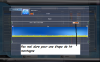
When it starts i see only a quarter of the screen and i do not see the options i have to do in order to make the profile etc....
How can I do? |
| |
|
|
| fuoconelteepee |
Posted on 16-07-2015 19:14
|
Amateur
Posts: 9
Joined: 21-08-2014
PCM$: 200.00
|
some additional infos.... playong and resizing by hand the screen i managed to arrive to the option panel in the main view... but....
the full screen is disactivated.... it is clearly full but in option it is not full....
Help (if possible) |
| |
|
|
| fuoconelteepee |
Posted on 16-07-2015 19:14
|
Amateur
Posts: 9
Joined: 21-08-2014
PCM$: 200.00
|
I guess that there are some issue with retina screen....
Edited by fuoconelteepee on 16-07-2015 19:31
|
| |
|
|
| davidore |
Posted on 16-07-2015 21:49
|
Amateur
Posts: 1
Joined: 25-07-2009
PCM$: 200.00
|
I have the same issue. Anybody got a solution? |
| |
|
|
| Paul23 |
Posted on 16-07-2015 22:00
|

Grand Tour Specialist

Posts: 4394
Joined: 10-08-2011
PCM$: 400.00
|
I think since the majority here uses Windows (Mainly because its better) you won't find any help here probably. It could be, that some guy could help you, so just keep out looking.
|
| |
|
|
| erlalex |
Posted on 16-07-2015 22:14
|
Amateur
Posts: 1
Joined: 16-07-2015
PCM$: 200.00
|
I have the same problem, and i use windows.
Anybody got a solution? |
| |
|
|
| fuoconelteepee |
Posted on 16-07-2015 23:18
|
Amateur
Posts: 9
Joined: 21-08-2014
PCM$: 200.00
|
i correct: it is not full, it is indeed windowed but really BIGGER than the resolution of the screen, if i resize it it does not refresh, so i get a black screen |
| |
|
|
| fuoconelteepee |
Posted on 19-07-2015 16:27
|
Amateur
Posts: 9
Joined: 21-08-2014
PCM$: 200.00
|
anyway, does anyone knows where "physically" is the "options" file in window |
| |
|
|
| zion |
Posted on 19-08-2015 18:38
|
Amateur
Posts: 12
Joined: 24-02-2010
PCM$: 200.00
|
i have the same issue does anyone what to do ?? |
| |
|
|
| indifferenza |
Posted on 19-08-2015 22:45
|
Amateur
Posts: 9
Joined: 21-08-2010
PCM$: 200.00
|
This worked for me:
right-click the game icon and select "Disable display scaling on high DPI settings" in the Compatibility tab.
Et voila! |
| |
|