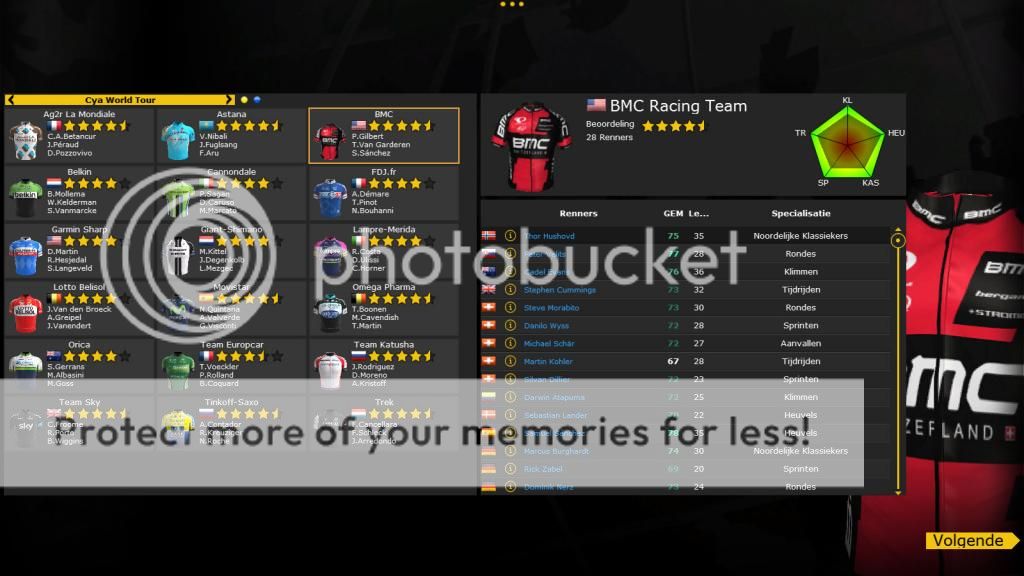
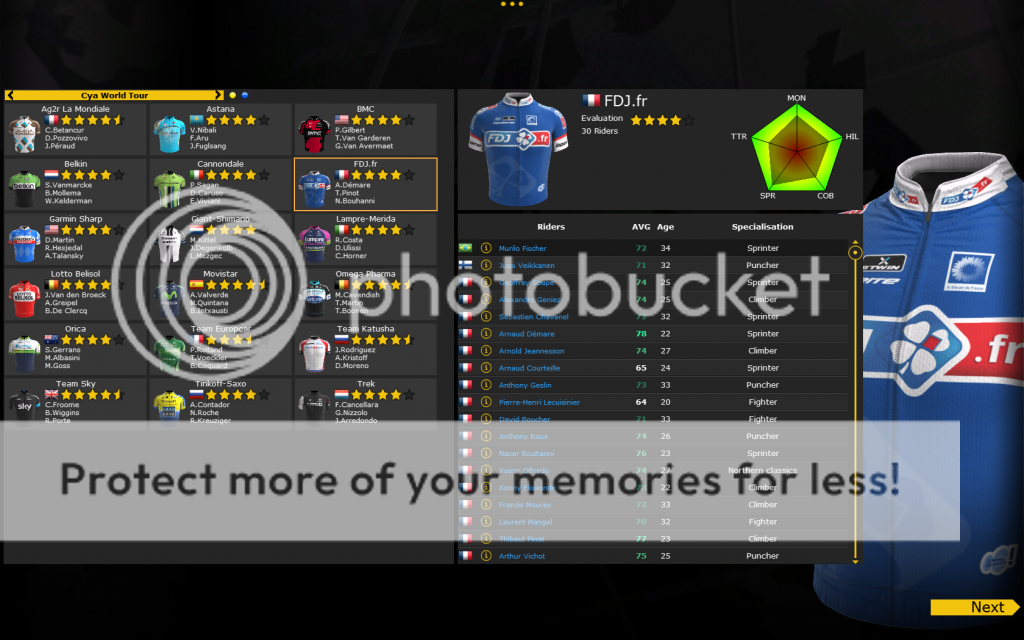
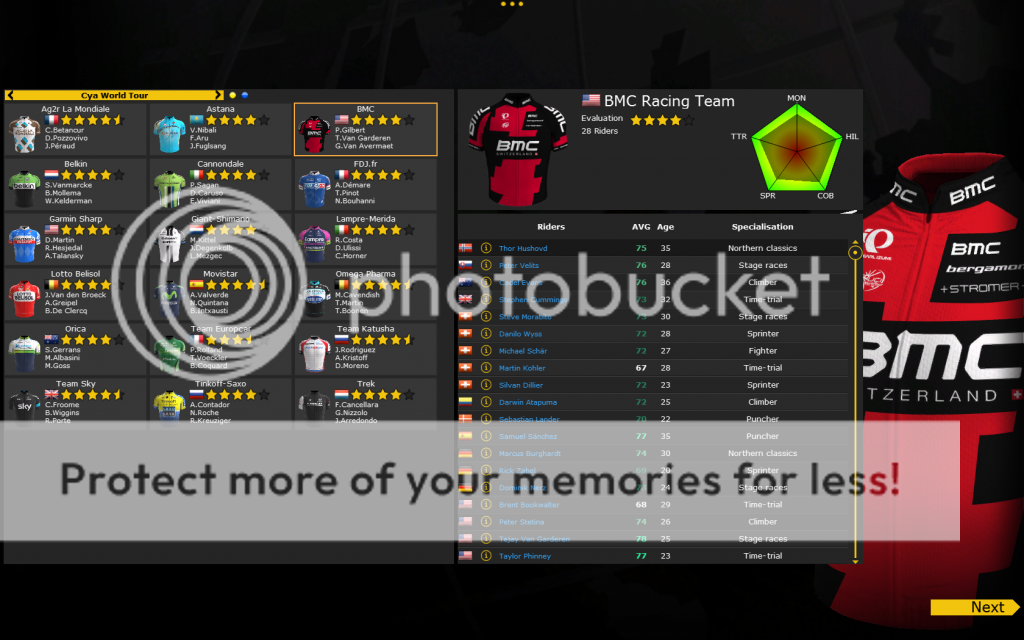
As it seems, the promised auto-rendering of the minimaillots isn't included in the game. Some members of this community are sorting this out with Cyanide, but in the meantime I've created a rather simple way to insert the minimaillots manually. These will look a bit different from those that are included in the main game, since I've used (and modified) the old Blender-file.
There are 2 files that you need to insert. First the minimaillot, which we know from the former PCM-games. This will be placed in the known directory "Gui\team_shirt" and is named "prefix_minimaillot.dds" (for example "bel_minimaillot.dds" for Belkin). The second file is the jersey that appears in the background of the game. This one will be placed in "Gui\Single\Background" and is named "prefix_maillot.dds" (for example "bel_maillot.dds" for Belkin).
What you need:
- Blender 2.49
- The original minishirt guide
- Adobe Photoshop (or Paint.net, but I'm explaining this using PS)
- The NVIDIA Texture Tools for Photoshop (to be able to save the file as DDS)
- The edited Blender-files (download here and here)
- The jersey you want to create these jerseys for (if it's not your jersey, ask permission from the creator, before you publish the minimaillots for his jersey)
Step 1: create the minimaillot
To create the minimaillot follow the original minishirt guide (link above). Instead of the "base mini shirt file" use the file "Minimaillot PCM2014.blend" you've downloaded with the link above.
Copy the created TGA-file to Gui\team_shirt in your PCM2014-folder (usually Program Files (x86)\Cyanide\Pro Cycling Manager - Season 2014 or Program Files (x86)\Steam\SteamApps\common\Pro Cycling Manager 2014)
Step 2: create the background jersey
Part 1: Blender
First, you need to create another rendered jersey from Blender. Again, use the original minishirt guide to do this. This time use the file "Background jersey PCM2014.blend", instead of the "base mini shirt file".
Don't add the file to the game yet, but save it on your desktop (or somewhere else you can easily find it).
Part 2: Photoshop If you haven't installed the NVIDIA Texture Tools for Photoshop, make sure to install it first.
Open the created file in Photoshop. The file now has the dimensions 700x800. This is the actual size of the jersey. For the jersey to work in the game, the dimensions need to be 1024x1024.
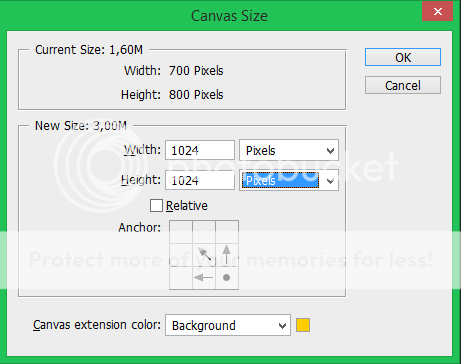
To do this in Photoshop, click Alt+Ctrl+C to open the screen Canvas Size. If the selected box (in the screenshot below) says Centimeters, change it to pixels. Now make sure everything is set exactly the way it's set in the screenshot below.
If so, when you click Ok, the file will be enlarged, with the jersey in to the bottom right corner.
Now save the jersey as DDS-file (prefix_maillot.dds) and copy it to Gui\Single\Background in your PCM2014-folder (usually Program Files (x86)\Cyanide\Pro Cycling Manager - Season 2014 or Program Files (x86)\Steam\SteamApps\common\Pro Cycling Manager 2014).
EDIT: The NVIDIA Texture Tools automatically save DDS without Alpha-channels. To make the background transparent, you'll need to save it with a 1-bit (DXT1 ARGB 4 bpp | 1 bit alpha) Alpha channel.
If you didn't overwrite another jersey, make sure you add the jersey to a database, otherwise it won't be visible in-game.
If you have any questions, feel free to ask.Edited by haasje33 on 21-06-2014 13:41
I made myself, it is like You have made... But the quality of the background image... The original game's better, I think... No offence, it's good, but not perfect. Thank you for the tutorial!!!
U.S. Postal Service (2000 - 2007), Karpin - Galicia (2007 - 2008), Astana (2008 - 2010), Team Radioshack (2010 - ...), Sky Professional Cycling (2010 - ...)
Beta tester of PCM 2014, 2015, 2016, 2017, 2018
Greg956 wrote:
I made myself, it is like You have made... But the quality of the background image... The original game's better, I think... No offence, it's good, but not perfect. Thank you for the tutorial!!!
I agree with you on the quality compared to the original game, but until a better option is available I thought it would be useful in here
Greg956 wrote:
I made myself, it is like You have made... But the quality of the background image... The original game's better, I think... No offence, it's good, but not perfect. Thank you for the tutorial!!!
I agree with you on the quality compared to the original game, but until a better option is available I thought it would be useful in here
Ye, I like it very much, I made all of my shirts, for my careers like this method. I hope bwiggins found a way how to make maillot backgrounds as he made minimaillots)
U.S. Postal Service (2000 - 2007), Karpin - Galicia (2007 - 2008), Astana (2008 - 2010), Team Radioshack (2010 - ...), Sky Professional Cycling (2010 - ...)
Beta tester of PCM 2014, 2015, 2016, 2017, 2018
Greg956 wrote:
I made myself, it is like You have made... But the quality of the background image... The original game's better, I think... No offence, it's good, but not perfect. Thank you for the tutorial!!!
I agree with you on the quality compared to the original game, but until a better option is available I thought it would be useful in here
Ye, I like it very much, I made all of my shirts, for my careers like this method. I hope bwiggins found a way how to make maillot backgrounds as he made minimaillots)
Have found a way, but it takes a lot of time.
But the result is better than the ones that are already in the game!!
BMC is finish later today...
Greg956 wrote:
I made myself, it is like You have made... But the quality of the background image... The original game's better, I think... No offence, it's good, but not perfect. Thank you for the tutorial!!!
I agree with you on the quality compared to the original game, but until a better option is available I thought it would be useful in here
Ye, I like it very much, I made all of my shirts, for my careers like this method. I hope bwiggins found a way how to make maillot backgrounds as he made minimaillots)
Have found a way, but it takes a lot of time.
But the result is better than the ones that are already in the game!!
BMC is finish later today...
Hahaha, better than the game? Cool, you can go working in Cyanide)))
U.S. Postal Service (2000 - 2007), Karpin - Galicia (2007 - 2008), Astana (2008 - 2010), Team Radioshack (2010 - ...), Sky Professional Cycling (2010 - ...)
Beta tester of PCM 2014, 2015, 2016, 2017, 2018
Greg956 wrote:
I made myself, it is like You have made... But the quality of the background image... The original game's better, I think... No offence, it's good, but not perfect. Thank you for the tutorial!!!
I agree with you on the quality compared to the original game, but until a better option is available I thought it would be useful in here
Ye, I like it very much, I made all of my shirts, for my careers like this method. I hope bwiggins found a way how to make maillot backgrounds as he made minimaillots)
Have found a way, but it takes a lot of time.
But the result is better than the ones that are already in the game!!
BMC is finish later today...
Hahaha, better than the game? Cool, you can go working in Cyanide)))
Yes, if you look at this preview of the BMC Shirt. You can see that the Collar and shoulder is much better than the normal!
Cyanide just have to ask!
the problems of PCM 14 minishirts is that they are really automatically done, so that's why they got this problem. Good work bwiggins, i'm curious to see how you did !
The new PCM France : https://www.legruppetto.com/forum/viewforum.php?f=67
Just have a look, there's shirts and stages for you !