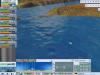
I love to play PCM 2013. I mean i loved to play. Cause it isn't working anymore since 3 days. The game crashed during a 3d-stage and since that moment it freezes everytime when I try to start the game. On the picture you can see the screen I get but i cant click on a button. I hope that someone knows what to do. I would be really really happy if anybody could help because im a bit frustrated since the moment the game didnt work.
If re-installing does not help, then try to delete everything related to the game.
Cyanide wrote: Reset the settings of Pro Cycling Manager 2011:
(Beware, it will erase your progress if you don't make a copy of the folder named Users) A. My documents
1. Click Windows Start button and click My Documents or Documents.
2. Delete Pro Cycling Manager 2011 folder.
3. Run Pro Cycling Manager 2011. B. Roaming folder
1. Open Computer then Local Disk (C:).
2. Open Users folder.
3. Open your username folder.
4. Open AppData folder (*)
5. Open Roaming folder.
6. Delete Pro Cycling Manager 2011 folder.
7. Run Pro Cycling Manager 2011.
(*) Note that on some Windows systems the application data folder is hidden by default.
Here is how to make it visible:
Open the Folder Options by clicking the Start button and click Control Panel.
On the Control Panel, click Appearance and Personalization and click Folder Options.
On the Folder Options, click on the View tab.
Under the Advanced settings, click Show hidden files and folders and click Ok.
Of course i tried reinstalling the game. I reinstalled it in Steam. I even tried to download a torrent and use my own key. But the same error. I read that already Lachi, on another tread. Didn't work either. Thanks for your response anyway. I hope that someone comes with a brilliant idea!
If you really uninstalled the game and then deleted everything related to the game then a fresh installation should restore your game to zero.
Either you didn't do it correctly and completely or the problem is not related to the game.
But if you have bought the game from steam, then you should rather contact steam support or the official support directly.