|
Need help: load map
|
| alex-sonic |
Posted on 14-07-2013 16:20
|

Neo-Pro

Posts: 301
Joined: 04-07-2009
PCM$: 200.00
|
Hi there!
I have a problem, or at least I don't know how to work with it!
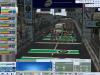
It is on the top view window, on the right... i'd like to work with a real map under my gpx but when i'm import my map, it does not display as it really should be.
I played with the button longitude min/max latitude but I didn't get how it works....
Could someone help me?
I already try to see in some tutorial but nothing which can help me |
| |
|
|
| shakety |
Posted on 14-07-2013 21:34
|
Junior Rider

Posts: 29
Joined: 25-07-2011
PCM$: 200.00
|
I've never known how to do this but since I have two monitors I can have the stage editor open in one and google earth or map of the route I'm making in the other one. |
| |
|
|
| Selwink |
Posted on 14-07-2013 21:37
|

Grand Tour Champion

Posts: 8702
Joined: 17-05-2012
PCM$: 200.00
|
If you have f.e. 44.957 you shouldnt make it 43.957 but first try something like 44.907 or something
|
| |
|
|
| alex-sonic |
Posted on 14-07-2013 22:46
|
Neo-Pro
Posts: 301
Joined: 04-07-2009
PCM$: 200.00
|
I finally succeed but really hard to understand it :/ |
| |
|
|
| Pellizotti2 |
Posted on 14-07-2013 23:17
|

Grand Tour Champion
Posts: 9885
Joined: 01-05-2010
PCM$: 200.00
|
I don't understand, really.
Are you importing the map from a .gpx file or are you creating your own using latitude and longitude coordinates? Because if it's the former, it should work fine.
|
| |
|
|
| lluuiiggii |
Posted on 15-07-2013 04:26
|

Grand Tour Champion
Posts: 8425
Joined: 30-07-2010
PCM$: 200.00
|
An easier option is, if you have PCM11, download and install the very first patch of it. In this version, the Stage Editor cointained a feature called "activate Google Maps" (which worked just fine)  Then create the stage and re-export it with the PCM13 SE Then create the stage and re-export it with the PCM13 SE 
|
| |
|
|
| Ad Bot |
Posted on 15-06-2026 12:48
|
Bot Agent
Posts: Countless
Joined: 23.11.09
|
|
| IP: None |
|
|
| alex-sonic |
Posted on 15-07-2013 09:43
|
Neo-Pro
Posts: 301
Joined: 04-07-2009
PCM$: 200.00
|
lluuiiggii wrote:
An easier option is, if you have PCM11, download and install the very first patch of it. In this version, the Stage Editor cointained a feature called "activate Google Maps" (which worked just fine) Then create the stage and re-export it with the PCM13 SE
Oh lluigi thanks for the tips!! You know I love you? 
I just reinstalled PCM 11 and I owuld like to desinstall it this week end (and my next activation would be in 90 days since I just reinstalled it 
Moreover all my last stages were on PCM 11 
Thanks a lot! You are my hero
@Pelizotti, I import the map from a gpx then I import my map
Maybe it's the map I take which isn't good? How I have to do it?
I try with open street map exporting my map in png |
| |
|
|
| alex-sonic |
Posted on 15-07-2013 14:06
|
Neo-Pro
Posts: 301
Joined: 04-07-2009
PCM$: 200.00
|
Are you sure it was PCM 11 and not 10? :s
EDIT: it is PCM 11, thank you man
Edited by alex-sonic on 15-07-2013 18:04
|
| |
|