|
Graphics problem
|
| radimov |
Posted on 22-06-2012 12:01
|
Amateur

Posts: 6
Joined: 26-07-2008
PCM$: 200.00
|
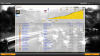
When I try to play a race the graphics looks like this
https://img262.ima.../pcm12.jpg
My graphics card is a Nvidia 6200, Pro Cycling Manager 2011 works with this card, slowly but works.
Does anyone have any solution for my problem?
Edited by radimov on 22-06-2012 14:36
|
| |
|
|
| radimov |
Posted on 22-06-2012 13:34
|
Amateur
Posts: 6
Joined: 26-07-2008
PCM$: 200.00
|
Please need help  . I try inslalling direct x, graphic drivers... and dont work. . I try inslalling direct x, graphic drivers... and dont work. |
| |
|
|
| PCM rulezz |
Posted on 22-06-2012 14:14
|

Protected Rider

Posts: 1446
Joined: 21-05-2011
PCM$: 200.00
|
I cannot see a picture so don't know what's wrong |
| |
|
|
| radimov |
Posted on 22-06-2012 14:40
|
Amateur
Posts: 6
Joined: 26-07-2008
PCM$: 200.00
|
PCM rulezz wrote:
I cannot see a picture so don't know what's wrong
https://i1068.phot.../pcm12.jpg
 |
| |
|
|
| Rauling |
Posted on 22-06-2012 14:41
|

Domestique

Posts: 437
Joined: 09-02-2009
PCM$: 200.00
|
Can't see the picture either.
|
| |
|
|
| 9-Ball |
Posted on 22-06-2012 17:23
|

Domestique
Posts: 464
Joined: 16-08-2008
PCM$: 300.00
|
I see the picture in his later posts (the original link is dead)
Very odd - looks like a problem rendering 3D? I would check your video drivers; check the card isn't overheating. I'm not familiar with the card myself so I can't really comment on its suitability for this game. The game is a system hog though - I even get occasional slowdown with twin 7970's.
It was eleven more than necessary.
Jacques Anquetil
|
| |
|
|
| Lachi |
Posted on 22-06-2012 19:46
|

Grand Tour Champion

Posts: 8360
Joined: 29-06-2007
PCM$: 200.00
|
In the options, set shaders 2.0 if you haven't already. |
| |
|
|
| radimov |
Posted on 22-06-2012 21:56
|
Amateur
Posts: 6
Joined: 26-07-2008
PCM$: 200.00
|
Lachi wrote:
In the options, set shaders 2.0 if you haven't already.
I have pixel shader 2.0. I try forcing 3.0 but doesnt wor either. |
| |
|
|
| 9-Ball |
Posted on 22-06-2012 22:01
|
Domestique
Posts: 464
Joined: 16-08-2008
PCM$: 300.00
|
Rad,
did you change the video settings, overall? Have you tried resetting to default?
It was eleven more than necessary.
Jacques Anquetil
|
| |
|
|
| Ad Bot |
Posted on 12-09-2026 16:24
|
Bot Agent
Posts: Countless
Joined: 23.11.09
|
|
| IP: None |
|
|
| radimov |
Posted on 23-06-2012 09:20
|
Amateur
Posts: 6
Joined: 26-07-2008
PCM$: 200.00
|
9-Ball wrote:
Rad,
did you change the video settings, overall? Have you tried resetting to default?
yes, dont work. |
| |
|
|
| radimov |
Posted on 23-06-2012 09:21
|
Amateur
Posts: 6
Joined: 26-07-2008
PCM$: 200.00
|
9-Ball wrote:
Rad,
did you change the video settings, overall? Have you tried resetting to default?
yes, dont work.
I m playing on a windows xp machine, can be the problem?
Edited by radimov on 23-06-2012 09:21
|
| |
|
|
| 9-Ball |
Posted on 23-06-2012 17:47
|
Domestique
Posts: 464
Joined: 16-08-2008
PCM$: 300.00
|
Unlikely to be XP. Other games run without similar issues? You may be looking at a video card upgrade. You can donate that 6200 to your local archaeology museum. 
It was eleven more than necessary.
Jacques Anquetil
|
| |
|