|
(BUGFIX) JESGD 2015 | equipment fixed
|
| matt17br |
Posted on 26-02-2015 14:10
|
Directeur Sportif

Posts: 10519
Joined: 28-09-2013
PCM$: 200.00
|
oreclub wrote:
Carrer crashes in 3rd July... Is that a random bug?
I think that it's related to the transfers. You may want to take a look at the dyn_transfer_contact table and delete (if any) the entries which don't show any id under the team column 
@luluvanimpe OpenOffice won't support the macros of the exporter.xls file of the excel editor. You'll necessarily need excel. Take a look at this thread, atlanta was basically in your same situation: https://pcmdaily.com/forum/viewthread....id=1022934
I could do that for you later in the afternoon if I'll be able to remember about it. I would advise you to open your save with cyanide's full editor v4, export both the 2015 calendar cdb and the jesgd latest cdb, copy sta_calendar.cdb and .sch of your old cdb into the exports folder of jesgdb and see if it actually works
|
| |
|
|
| oreclub |
Posted on 26-02-2015 14:18
|
Junior Rider

Posts: 41
Joined: 03-02-2011
PCM$: 200.00
|
matt17br wrote:
oreclub wrote:
Carrer crashes in 3rd July... Is that a random bug?
I think that it's related to the transfers. You may want to take a look at the dyn_transfer_contact table and delete (if any) the entries which don't show any id under the team column
Ok, I'll take a look at night. Grazie. |
| |
|
|
| luluvanimpe |
Posted on 26-02-2015 15:16
|

Stagiare

Posts: 217
Joined: 26-02-2007
PCM$: 200.00
|
matt17br wrote:
oreclub wrote:
Carrer crashes in 3rd July... Is that a random bug?
I think that it's related to the transfers. You may want to take a look at the dyn_transfer_contact table and delete (if any) the entries which don't show any id under the team column
@luluvanimpe OpenOffice won't support the macros of the exporter.xls file of the excel editor. You'll necessarily need excel. Take a look at this thread, atlanta was basically in your same situation: https://pcmdaily.com/forum/viewthread....id=1022934
I could do that for you later in the afternoon if I'll be able to remember about it. I would advise you to open your save with cyanide's full editor v4, export both the 2015 calendar cdb and the jesgd latest cdb, copy sta_calendar.cdb and .sch of your old cdb into the exports folder of jesgdb and see if it actually works
Thanks a lot, Matt. I'm going to try. |
| |
|
|
| oreclub |
Posted on 26-02-2015 20:13
|
Junior Rider
Posts: 41
Joined: 03-02-2011
PCM$: 200.00
|
matt17br wrote:
oreclub wrote:
Carrer crashes in 3rd July... Is that a random bug?
I think that it's related to the transfers. You may want to take a look at the dyn_transfer_contact table and delete (if any) the entries which don't show any id under the team column
Solved problem. Thx |
| |
|
|
| luluvanimpe |
Posted on 27-02-2015 18:35
|
Stagiare
Posts: 217
Joined: 26-02-2007
PCM$: 200.00
|
luluvanimpe wrote:
matt17br wrote:
oreclub wrote:
Carrer crashes in 3rd July... Is that a random bug?
I think that it's related to the transfers. You may want to take a look at the dyn_transfer_contact table and delete (if any) the entries which don't show any id under the team column
@luluvanimpe OpenOffice won't support the macros of the exporter.xls file of the excel editor. You'll necessarily need excel. Take a look at this thread, atlanta was basically in your same situation: https://pcmdaily.com/forum/viewthread....id=1022934
I could do that for you later in the afternoon if I'll be able to remember about it. I would advise you to open your save with cyanide's full editor v4, export both the 2015 calendar cdb and the jesgd latest cdb, copy sta_calendar.cdb and .sch of your old cdb into the exports folder of jesgdb and see if it actually works
Thanks a lot, Matt. I'm going to try.
Yep ! I did it and it works very good 
Only a curious thing on my dashboard during the ITT.
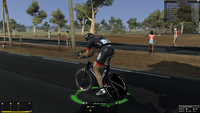
Look at the picture.
Edited by luluvanimpe on 27-02-2015 18:39
|
| |
|
|
| Mosquito |
Posted on 28-02-2015 12:26
|
Amateur
Posts: 9
Joined: 07-05-2008
PCM$: 200.00
|
matt17br wrote:
oreclub wrote:
Carrer crashes in 3rd July... Is that a random bug?
I think that it's related to the transfers. You may want to take a look at the dyn_transfer_contact table and delete (if any) the entries which don't show any id under the team column
How do i delete those columns? I have downloaded Lachis editor (which i figured would be the tool needed) and found that column 18 doesn't have a team ID. But i have no idea how to delete the column. |
| |
|
|
| matt17br |
Posted on 28-02-2015 12:50
|
Directeur Sportif
Posts: 10519
Joined: 28-09-2013
PCM$: 200.00
|
You dont have to drletr the column but the row/line that hasnt got a team, there must be a delete button or something. Otherwise delete the info on that row selecting it and presding exit from your keyboard or something
|
| |
|
|
| Ad Bot |
Posted on 13-09-2026 18:32
|
Bot Agent
Posts: Countless
Joined: 23.11.09
|
|
| IP: None |
|
|
| maxmat52 |
Posted on 28-02-2015 21:13
|
Amateur
Posts: 20
Joined: 12-06-2013
PCM$: 200.00
|
Salut, j'ai un souci je fais une carriere mais mon jeu crashe au 3 juillet, j'ai lu vos conseils mais je n'y arrive pas a remedier a cela, est que vous pourriez m'aider a faire quelque chose.
Desoler je ne parle pas tres bien anglais, donc je n'ai pas preferai m'en exprimer.. |
| |
|
|
| matt17br |
Posted on 28-02-2015 21:36
|
Directeur Sportif
Posts: 10519
Joined: 28-09-2013
PCM$: 200.00
|
From what I understand i french, i can tell you that it is a known bug and deleting a row that hasnt got infos under gene team in dyn_transfers_precontact would do the trick as you can read above
|
| |
|
|
| maxmat52 |
Posted on 28-02-2015 23:31
|
Amateur
Posts: 20
Joined: 12-06-2013
PCM$: 200.00
|
Merci beaucoup Matt |
| |
|
|
| japper87 |
Posted on 11-03-2015 12:20
|
Amateur
Posts: 12
Joined: 19-07-2009
PCM$: 200.00
|
I'm having the same issue with the wheels from IAM, Caja Rural, Cult energy etc. in my career and i really dont want to give up on this one since i invested a lot of time altering the rider stats.. can someone please look into it or tell me how to fix my .cdb file? https://www.dropbox.com/s/mukul2eq6e1...1.cdb?dl=0
Edited by japper87 on 11-03-2015 13:20
|
| |
|
|
| matt17br |
Posted on 11-03-2015 13:39
|
Directeur Sportif
Posts: 10519
Joined: 28-09-2013
PCM$: 200.00
|
japper87 wrote:
I'm having the same issue with the wheels from IAM, Caja Rural, Cult energy etc. in my career and i really dont want to give up on this one since i invested a lot of time altering the rider stats.. can someone please look into it or tell me how to fix my .cdb file? https://www.dropbox.com/s/mukul2eq6e1...1.cdb?dl=0
Sure. First, I guess that you haven't downloaded the latest bugfix (1.3). Download it along with the Excel Editor V6 by Lachi that you can find in PCM 12's download section under editors. Now, open your edited db into the Excel Editor (exporter.xls) and only open the dyn_cyclist table (or whichever other you edited). Now copy the table IN ITS ENTIRENESS into a blank excel spreadsheet. Close the excel editor WITHOUT SAVING, open it again and now open the equipment bugfix *.cdb file. Again, open only dyn_cyclist or whichever other table you've edited and copy-paste, from the blank excel spreadsheet all the data of the previous file. Now DON'T SAVE, but rather click on "Export to CDB" and you should be done.
Note that this will only work if you've got an Excel Version, as the other office suites don't support the macros of the editor
|
| |
|
|
| japper87 |
Posted on 11-03-2015 14:13
|
Amateur
Posts: 12
Joined: 19-07-2009
PCM$: 200.00
|
matt17br wrote:
japper87 wrote:
I'm having the same issue with the wheels from IAM, Caja Rural, Cult energy etc. in my career and i really dont want to give up on this one since i invested a lot of time altering the rider stats.. can someone please look into it or tell me how to fix my .cdb file? https://www.dropbox.com/s/mukul2eq6e1...1.cdb?dl=0
Sure. First, I guess that you haven't downloaded the latest bugfix (1.3). Download it along with the Excel Editor V6 by Lachi that you can find in PCM 12's download section under editors. Now, open your edited db into the Excel Editor (exporter.xls) and only open the dyn_cyclist table (or whichever other you edited). Now copy the table IN ITS ENTIRENESS into a blank excel spreadsheet. Close the excel editor WITHOUT SAVING, open it again and now open the equipment bugfix *.cdb file. Again, open only dyn_cyclist or whichever other table you've edited and copy-paste, from the blank excel spreadsheet all the data of the previous file. Now DON'T SAVE, but rather click on "Export to CDB" and you should be done.
Note that this will only work if you've got an Excel Version, as the other office suites don't support the macros of the editor
thanks for the detailed instructions i think i can make this work!
Doesn't it mean that i have to start over my career? |
| |
|
|
| matt17br |
Posted on 11-03-2015 14:36
|
Directeur Sportif
Posts: 10519
Joined: 28-09-2013
PCM$: 200.00
|
Yes, i fear you'll have to start it over if you follow my guide, because fixing it touching the save would be far more difficult and I don't honestly know where to start.
|
| |
|
|
| japper87 |
Posted on 11-03-2015 14:50
|
Amateur
Posts: 12
Joined: 19-07-2009
PCM$: 200.00
|
japper87 wrote:
matt17br wrote:
japper87 wrote:
I'm having the same issue with the wheels from IAM, Caja Rural, Cult energy etc. in my career and i really dont want to give up on this one since i invested a lot of time altering the rider stats.. can someone please look into it or tell me how to fix my .cdb file? https://www.dropbox.com/s/mukul2eq6e1...1.cdb?dl=0
Sure. First, I guess that you haven't downloaded the latest bugfix (1.3). Download it along with the Excel Editor V6 by Lachi that you can find in PCM 12's download section under editors. Now, open your edited db into the Excel Editor (exporter.xls) and only open the dyn_cyclist table (or whichever other you edited). Now copy the table IN ITS ENTIRENESS into a blank excel spreadsheet. Close the excel editor WITHOUT SAVING, open it again and now open the equipment bugfix *.cdb file. Again, open only dyn_cyclist or whichever other table you've edited and copy-paste, from the blank excel spreadsheet all the data of the previous file. Now DON'T SAVE, but rather click on "Export to CDB" and you should be done.
Note that this will only work if you've got an Excel Version, as the other office suites don't support the macros of the editor
thanks for the detailed instructions i think i can make this work!
Doesn't it mean that i have to start over my career?
I think i did everything properly however once i "export to CDB" the exporter.exe crashes. Maybe because my excel version is outdated (2007) ? |
| |
|
|
| matt17br |
Posted on 11-03-2015 14:54
|
Directeur Sportif
Posts: 10519
Joined: 28-09-2013
PCM$: 200.00
|
Nope, that excel version is not a problem. That error often occurs because you've done something wrong while copying those tables. Make sure you aren't touching your save, BUT you're editing JESGDB's v1, the one you used to start your career
|
| |
|
|
| japper87 |
Posted on 11-03-2015 15:05
|
Amateur
Posts: 12
Joined: 19-07-2009
PCM$: 200.00
|
matt17br wrote:
Nope, that excel version is not a problem. That error often occurs because you've done something wrong while copying those tables. Make sure you aren't touching your save, BUT you're editing JESGDB's v1, the one you used to start your career
ah thanks that did it! i was using the career.cdb since i edited that too |
| |
|